





To view the full presentation from GFX, register at the GFX website.
12 Steps to Automate Fleet Processes
Automating fleet processes yields many rewards: reducing costs, increasing efficiencies, improving processes, heightening accuracy, and simplifying operations.
February 16, 2022
3 min to read
The prospect of automating a fleet process can seem daunting, particularly to a non-technophile. Yet, according to Patrick Barrett, CAFM, director of University Fleet Management for the University of Nebraska, automation can reap many rewards: reducing costs, increasing efficiencies, improving processes, heightening accuracy, and simplifying operations.
A 44-year industry veteran, Barrett holds a master’s degree in public administration and information systems. Over the past several years, under his direction, nearly all University of Nebraska fleet operations — which cover four campuses and research facilities throughout the state — have converted to online, paperless processes. In one process alone — new driver authorization — automation reduced individual steps from 14 to three and shortened completion time from 30 minutes to two per driver.
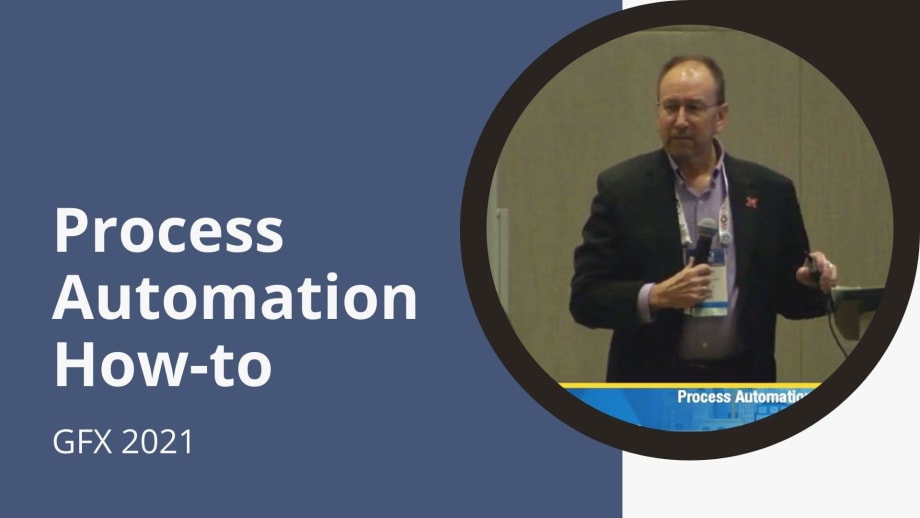
At last fall’s Government Fleet Expo & Conference, Barrett outlined fundamental steps in fleet process automation to improve overall fleet operations. The following summarizes key elements of his presentation.
Determine what can be automated and what you want to automate. Examine all paper-based processes such as work orders, parts invoices, time sheets, mileage logs, vehicle damage/crash reports, repair estimates, vehicle reservations, and rental agreements.
Consider who will benefit from automation: technicians, customers, drivers, vendors, etc. Consult customers for their input.
Contact other public sector fleet managers. Can you adapt their automated systems to your operations? Or borrow their idea and tweak to it fit your fleet requirements?
Detail the data each process requires, e.g., driver/customer name, license number, department, vendor information, vehicle ID, parts stock number, mileage, etc.
Can one or more processes be combined? Look at data origin and end points, and common storage locations. Are some processes sequential?
Consider such factors as maintaining data validity/accuracy and integrity — who will have access to data and when?
Visualize each process. Create a flow chart to record each step from the beginning to the end point, including input/output, documents, manual operation/input, decision-making, data storage, process activity, connections, predefined processes, etc. Barrett suggested using common flow chart symbols found online.
Start small, paying attention to your comfort level. “Walk before running,” Barrett advised. Initially, automate a single process. Using the flow chart, outline the automated process concept — the alpha step. Next, build a simple process, the beta step. According to Barrett, online no-code automation applications, such as Access, Microsoft Excel, AppGyver, Appy Pie app maker, Bubble, and Adobe Acrobat Pro, offer good starting points to automate processes.
Beta test with staff members; their evaluations can identify glitches and improvements.
Devise a back-up plan in case of system failure, such as a power blackout or the fleet management system going offline.
Release the automated process. Communicate process development to customers, employees, and vendors, and provide training on the new system. Anticipate modifications and enhancements. “Nothing works right out of the box. There are always improvements or enhancements that can improve the process,” Barrett pointed out.
Upon a successful launch and implementation, expand your automation initiative to another process, building on each experience to improve the next.Finally, said Barrett, “If it all works, brag about it.” Share savings, improved efficiencies, and benefits with colleagues and your organization’s leaders.
Subscribe to Our Newsletter
More Operations
Is Keeping Older Fleet Vehicles Really Saving Money?
Is keeping vehicles longer saving money, and what happens when a diagnostic test points to the wrong fix?
Read More →
How Smart Fleet Strategy Can Help Local Government Agencies Do More with Less
Keeping a vehicle longer may ease this year’s budget, but what does it cost the next one? A closer look at fleet decisions can reveal opportunities to reduce spending while protecting essential services.
Read More →
Connect with Government Fleet on LinkedIn
From industry news and fleet management strategies to conversations with peers, Government Fleet's LinkedIn page offers public-sector fleet professionals another way to stay informed and connected.
Read More →
Town of Queen Creek Named Most Successful Fleet Award Winner of Inaugural RTA Fleet Success Awards
Five fleets were honored at RTA Connect 2026 in Chicago for excellence across resource efficiency, intentional culture, risk management, and stakeholder satisfaction.
Read More →
Sponsored•October 14, 2026
A buyer's guide to fleet management software in 2027
Buying fleet management software in 2027 means looking beyond features and price. As fleet operations, technology and expectations evolve, this guide explores what today’s fleet professionals should consider when choosing a system that can deliver value now and adapt to what comes next.
Read More →
Hazard Alerts, Fleet Car Sales Rise and a New Shuttle Concept
Fleet car sales doubled, but the bigger picture tells a different story in this week’s roundup.
Read More →
How St. Johns County Turned Fleet Data Into Better Replacement Decisions
St. Johns County, Florida, had fleet data, but turning it into reliable decision guidance was another matter. Instead of starting over with a new fleet management system, the county connected existing tools and built a scoring system that gives managers an objective look at fleet health.
Read More →
Fleet Forward Conference Introduces One-Day Passes for 2026
New one-day registration lets fleet professionals attend Tuesday, Wednesday, or Thursday, with passes available for $249.
Read More →
ENC Unveils its ZAVIR Medium-Duty Shuttle
Two variants of the concept shuttles were revealed: a low-floor configuration and a high-floor configuration.
Read More →
Could Your Next Fleet Technician Start as an Intern?
What if your next technician hasn’t worked in a fleet shop yet? What fleets are doing to free up time.
Read More →